
Download Markdown Pro – Free, Secure & Powerful Markdown Editor
Overview
Markdown Pro is a modern rich‑text editor purpose‑built for writing and reading Markdown documents. Whether you’re a developer drafting README files, a blogger crafting posts, or a student taking notes, Markdown Pro streamlines the creation process with an intuitive interface and real‑time preview. The editor supports the full Markdown syntax—including tables, footnotes, task lists, and code blocks—so you can focus on content instead of wrestling with formatting codes.
Its lightweight design keeps the app fast on Windows, macOS, Android, and iOS, while still offering powerful extensions such as custom CSS themes, export to PDF/HTML, and cloud sync. Because Markdown is plain‑text, files created with Markdown Pro remain portable, searchable, and future‑proof, making it an ideal tool for anyone who values simplicity and control over their documents. The software is free to download, regularly updated for security and feature enhancements, and respects user privacy by storing files locally unless you enable cloud backup.
In short, Markdown Pro delivers a seamless writing experience that balances the speed of plain‑text markdown with the polish of a full‑featured editor.
Installation & Usage
Getting started with Markdown Pro is straightforward. Visit the official website or your device’s app store, click the “Download” button, and follow the on‑screen prompts. The installer for Windows and macOS is a single executable file; simply run it and accept the license agreement. Android users can download the APK from the Google Play Store, while iOS users will find the app in the Apple App Store. The installation package is signed with a trusted certificate, ensuring a secure download free from malware.
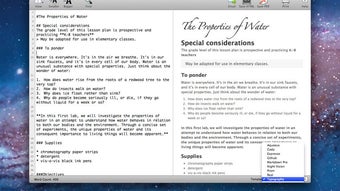
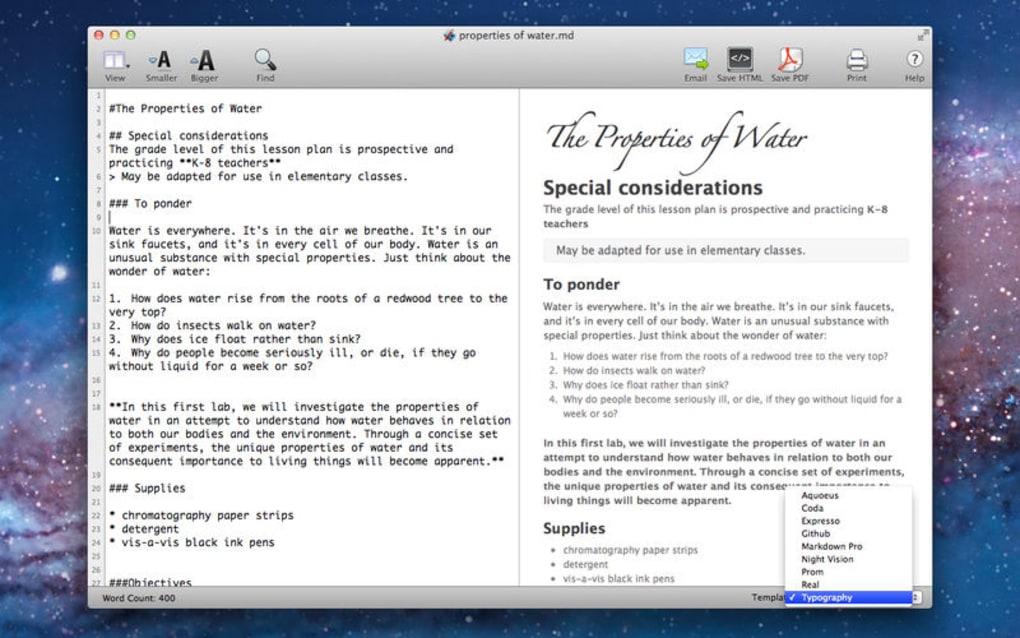
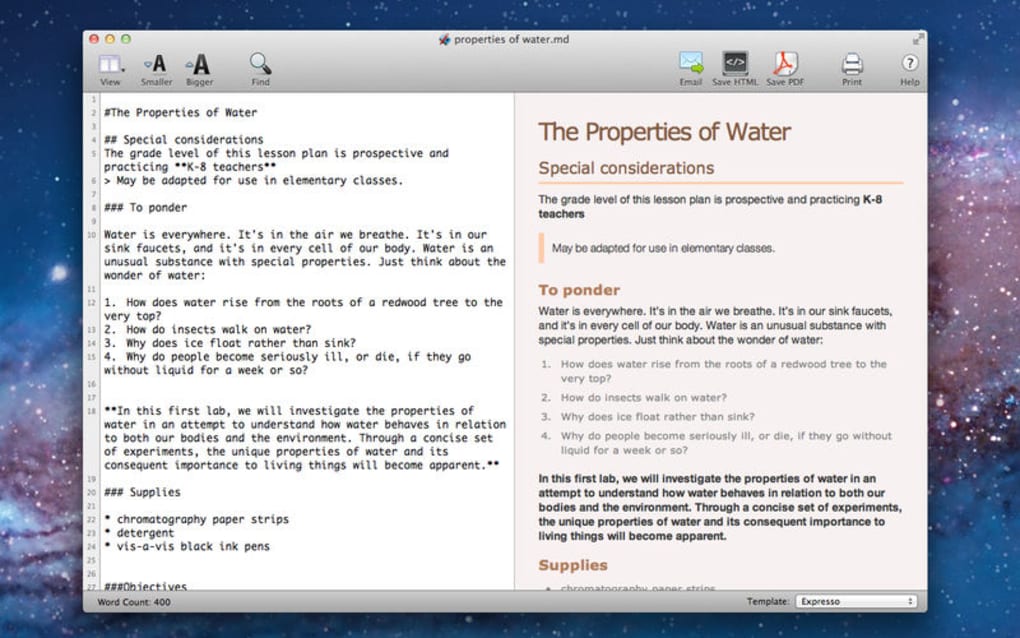
Once installed, launch Markdown Pro and you’ll be greeted by a split‑screen layout: the left pane is a plain‑text editor where you type Markdown syntax, and the right pane renders a live preview of the formatted document. Common shortcuts—like Ctrl+B for bold or Ctrl+Shift+L for bullet lists—are built‑in, letting you format without memorizing syntax. To open an existing file, click “File → Open” or drag and drop a *.md file onto the window. The app automatically detects the file’s encoding and displays it correctly.
Compatibility (itemprop="operatingSystem"): Markdown Pro runs on Windows 10/11, macOS 10.15+ (Catalina and later), Android 8.0+ and iOS 13+. The application uses Electron on desktop platforms, ensuring consistent performance across operating systems, while the mobile versions are native apps optimized for touch input and offline work.
For power users, the Settings menu lets you customize the editor theme, choose a default export format, and enable automatic sync with Dropbox, Google Drive, or OneDrive. You can also install community‑created plugins from the built‑in marketplace to extend functionality—think diagram generators, spell checkers, or AI‑assisted writing helpers. After configuring your preferences, simply start typing; the editor saves your work every few seconds, protecting you from accidental data loss.
Features, Pros & Cons
Key Features (itemprop="featureList")
- Real‑time Markdown preview with side‑by‑side editing.
- Full support for GitHub‑flavored Markdown, including tables, task lists, and footnotes.
- Export options: PDF, HTML, Word, and plain‑text.
- Custom CSS themes and dark mode for comfortable long‑writing sessions.
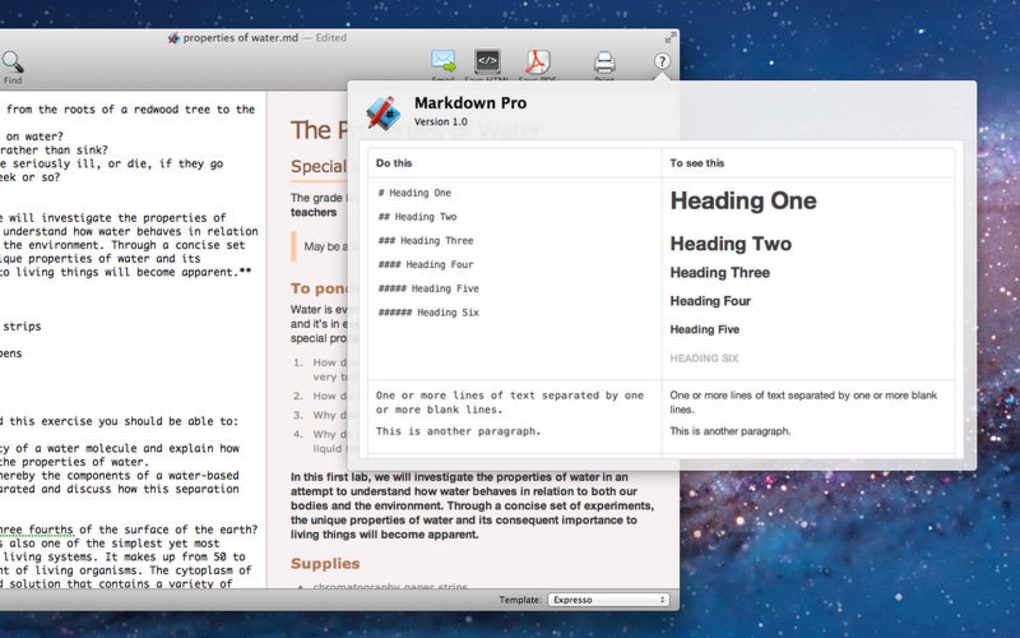
- Keyboard shortcuts for bold, italics, headings, and code blocks.
- Cloud sync integration with Dropbox, Google Drive, and OneDrive.
- Plugin marketplace with community‑built extensions.
- Offline mode ensures you can write anywhere, anytime.
- Auto‑save and version history to recover previous edits.
- Cross‑platform support for Windows, macOS, Android, and iOS.
Pros
- Free to download with no hidden fees.
- Lightweight and fast; launches in under two seconds.
- Intuitive UI that works for beginners and power users alike.
- Secure updates signed by the developer.
- Extensive export formats simplify sharing with non‑technical audiences.
- Robust plugin ecosystem adds flexibility without bloat.
Cons
- Advanced plugins may require a paid subscription for full features.
- While the mobile app is powerful, it lacks some desktop‑only shortcuts.
- Large Markdown files (>10 MB) can cause slight lag in the preview pane.
Overall Rating: 4.5/5 – Markdown Pro offers a polished, secure, and feature‑rich environment for anyone who works with Markdown.
FAQ & Conclusion
Frequently Asked Questions
Is Markdown Pro really free?
Yes, the core application is completely free to download and use. Optional premium plugins are available for a one‑time fee or subscription, but they are not required for basic Markdown editing.
Can I sync my documents across devices?
Absolutely. Markdown Pro integrates with Dropbox, Google Drive, and OneDrive. Enable sync in Settings and your files will be available on any device where you install the app.
Does the app support custom CSS for styling previews?
Yes. Under Settings → Appearance you can upload your own CSS file or select from pre‑built themes, giving you full control over the preview’s look and feel.
Is my data safe when using cloud sync?
Markdown Pro uses OAuth 2.0 for authentication and encrypts data in transit with TLS. Files stored in your cloud provider remain encrypted at rest according to the provider’s policies.
Can I export a Markdown file directly to PDF?
Yes. Choose File → Export → PDF, and the app will render the Markdown with your selected theme before creating a high‑quality PDF.
Conclusion – Get Started with Markdown Pro Today
Markdown Pro stands out as a secure, free, and highly versatile Markdown editor that works across all major platforms. Its real‑time preview, extensive export options, and robust plugin marketplace make it a solid choice for writers, developers, and students alike. The intuitive UI minimizes the learning curve, while advanced features such as cloud sync and custom CSS cater to power users. Even with a few minor limitations—like occasional preview lag on very large files—the overall experience is smooth and reliable.
Ready to boost your productivity and enjoy a cleaner writing workflow? Download Markdown Pro now and start creating beautifully formatted documents in seconds. Stay updated with the latest security patches and feature releases by enabling automatic updates in Settings. Experience the freedom of plain‑text Markdown combined with the polish of a modern editor—your next great document is just a click away.







